
How to copy existing data
Copying existing data to a new scorecard
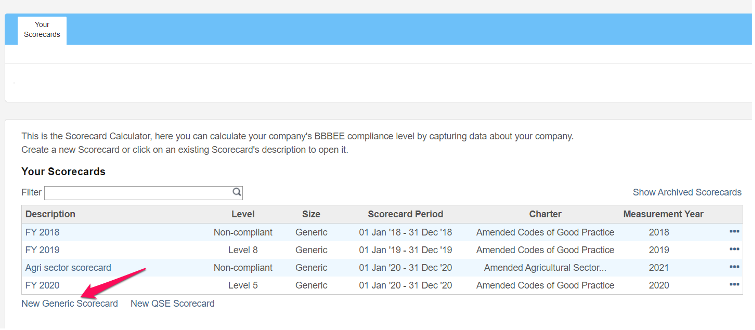
- Click on new generic or new QSE scorecard
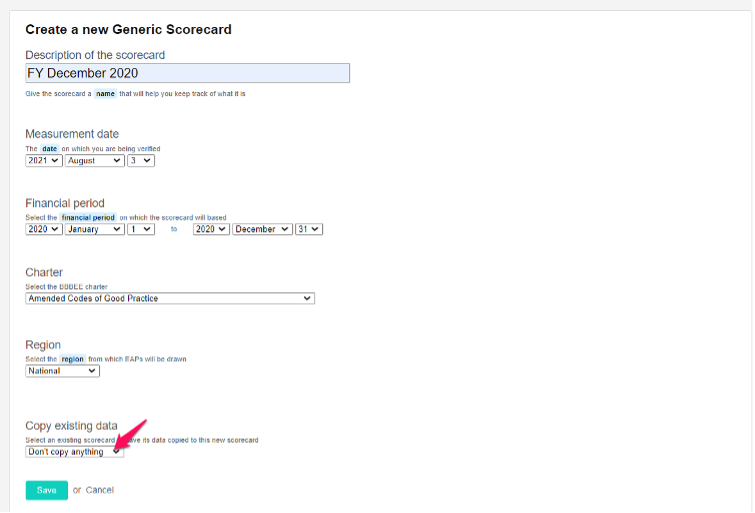
- Fill in the scorecard details as show below and then click on the “copy existing data” drop down list
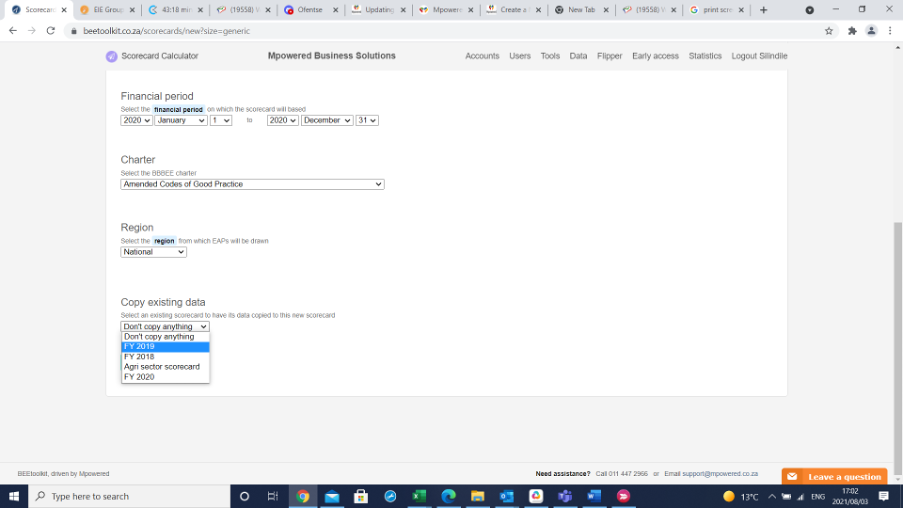
- Select the scorecard you would like to copy the existing data from
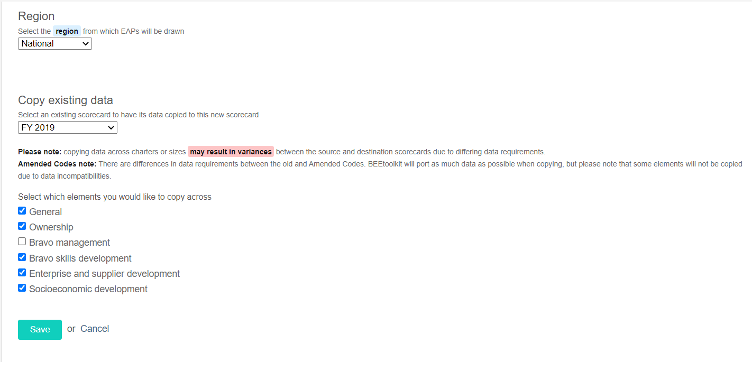
- Select the elements you would like to be copied over to the new scorecard and then click on save to create the scorecard
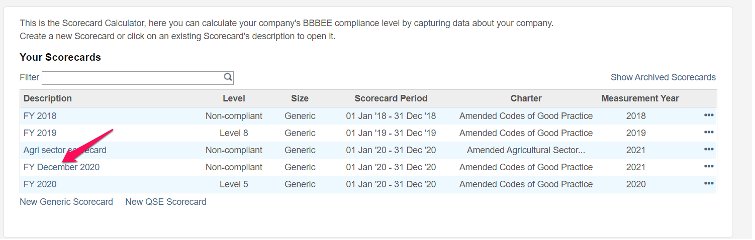
- To open the scorecard, click on the scorecard description as shown below
Comments
0 comments
Please sign in to leave a comment.